

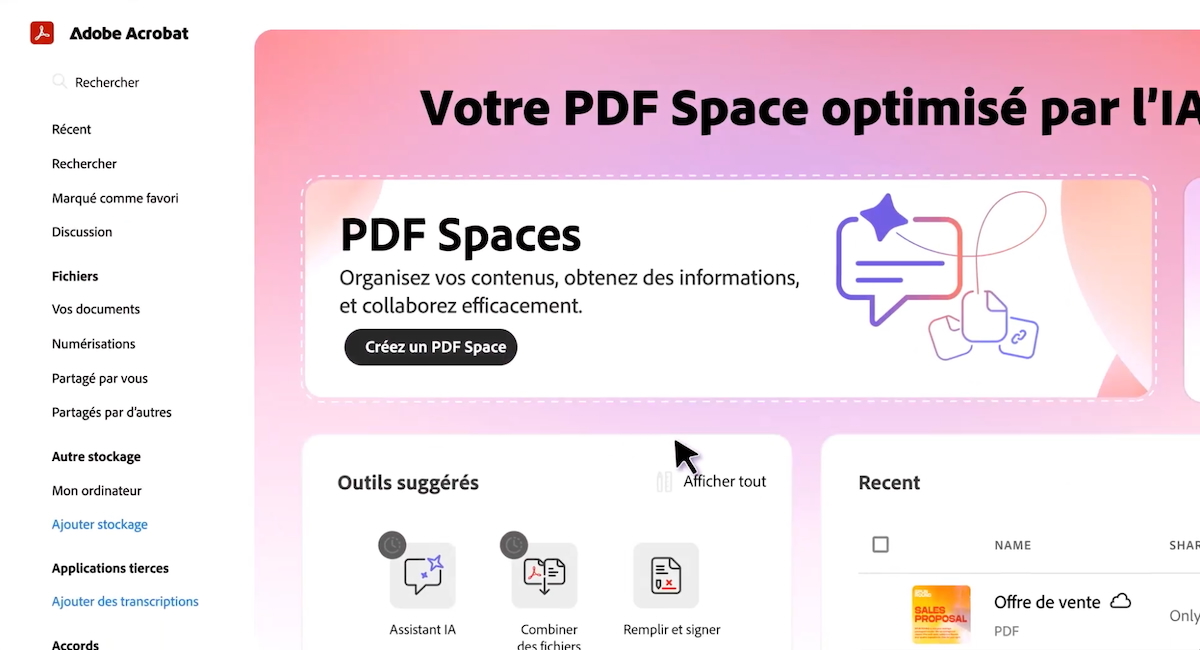
You’re probably familiar with this frustration: you’re working on an important project and you have to juggle between five, ten, sometimes fifteen different applications. Your sources are scattered across browser tabs, your analyses are in one tool, your presentation is in another, and collaboration happens through file exchanges that multiply. It’s exhausting, time-consuming, and creates information silos that slow down your productivity. I’ve experienced this fragmentation of the document workflow myself, and I can tell you that it represents a significant loss of time. Adobe PDF Spaces offer a radical solution to this problem: bringing together the entire document cycle, from source collection to finished content delivery, in a single integrated ecosystem. This platform transforms the way teams manage their documents, analyses, and collaborations. In this article, I explain how this innovation can simplify your workflow and save you precious hours every week.
📋 Summary
Centralize all your sources in one place
The starting point of any effective document workflow is the organization of sources. With PDF Spaces, you can gather up to 100 different files in a unique and centralized hub. Whether it’s PDFs, Word documents, Excel files, PowerPoint presentations, web links, or even text notes, everything converges in the same place. I find this centralization particularly useful because it eliminates the need to navigate between multiple folders, tabs, and applications. Adding sources is intuitive: drag-and-drop, import from the Adobe cloud or third-party services like SharePoint, or simply copy-paste URLs. This flexibility of integration means you can feed your folder continuously, from your desktop computer, web browser, or even your mobile phone 📱 on the go.
Once your files are added, the integrated AI assistant automatically analyzes the entire corpus and generates valuable insights without you having to open each document individually. The AI proposes summaries of the complete corpus, identifies recurring themes, highlights points of convergence or divergence between your sources, and creates conceptual maps that facilitate overall understanding. Each insight comes with a clickable link to the cited source, ensuring traceability and verification of the information. This automated analysis saves me a tremendous amount of time during the research phase, as I can identify strong angles in seconds rather than hours of manual reading.
The multi-platform availability of PDF Spaces is a major asset for modern teams. Whether you work from your office, remotely, or on the go, you access your sources and analyses from any device. This omnichannel accessibility guarantees uninterrupted work continuity and allows your team to stay synchronized, no matter where they are. This is particularly important in a hybrid work context where flexibility has become essential.

Analyze your documents with a customized AI assistant
Beyond simple storage, PDF Spaces transform your corpus into a true intelligent interlocutor. The AI assistant allows you to ask questions in natural language about your entire document set, without needing complex syntax or technical commands. You can ask the AI to synthesize a specific point, compare two documents, identify emerging trends, or extract specific numerical data. What makes this assistant particularly powerful is its ability to be customized to your context. You can quickly assign it a specific role using predefined templates like analyst, guide, or interpreter, or create your own assistants with personalized contextual instructions 🎯 tailored to your needs.
I tested this customization by configuring the assistant in tech journalist mode, and the result was remarkable. The AI adapted its analysis prism to offer relevant insights from a journalistic perspective, emphasizing strong angles and interesting trends for an editorial. The same corpus of financial data, for example, would be analyzed differently depending on whether you ask the AI to position itself as a marketing director or a management controller. This contextual adaptability means that the AI becomes a true work partner, able to adjust to your specific needs rather than offering generic analysis.
The assistant also handles advanced PDF editing tasks in natural language. You can ask the AI to delete pages, perform a find-and-replace, add an electronic signature or password, all by simply describing what you want to do. This conversational approach significantly simplifies access to advanced Acrobat functions, especially for occasional users who are not familiar with all the menus and options. The democratization of advanced features means that everyone on your team can accomplish complex tasks without prior technical training.
Generate professional deliverables without changing tools
This is where the unified workflow makes perfect sense, and I really appreciated the power of the platform. From your PDF Space, you can directly generate a professional presentation from the corpus you’ve analyzed. The AI guides you to produce a structured plan that precisely meets your needs, with the possibility of adjusting the length (from a few slides to over 20), tone, and target audience. The AI then draws from Adobe Express templates and the Adobe Stock library to offer a professional and attractive design. You can, of course, adjust the visual rendering with your personal brand chart to maintain brand consistency. This automated presentation generation transforms what used to take hours into a process of just a few minutes 🎨.
Once the angle is defined and your needs are stated, the AI generates a first editable version of the presentation. Editing is then done directly in the interface, thanks to the integrated Adobe Express tools: text modification, image replacement (including via Firefly, Adobe’s generative AI), application of a brand kit to maintain visual consistency, addition of animations, deletion or adjustment of elements. The result can be exported in PDF, PNG, JPG, or PPTX format or presented directly from the platform. I found this export flexibility particularly useful as it adapts to all presentation contexts, whether it’s a conference, an internal meeting, or client communication.
Another particularly innovative possibility is the generation of audio podcasts. The AI can transform any content from your PDF Space into an audio summary, available in short (highlights) or long (discussion between two hosts) format. You can customize the tone, level of expertise, or edit the content produced in natural language using the conversational interface. The podcast is playable directly in the interface, with a transcript available and a QR code to listen on mobile. This diversification of output formats means you can reach your audience across different channels and consumption contexts, from the office to the car, including public transportation.
Collaborate and share with simplicity
Collaboration is at the heart of any modern workflow, and this is precisely where PDF Spaces shine. Spaces can be opened to anyone with clear permission management: read-only, comment, or full editing. Recipients don’t necessarily need an Adobe account to access your Space; a simple link is enough. They can view files, explore insights generated by the AI, ask their own questions to the assistant, and leave notes if their permissions allow it. This frictionless collaboration transforms the PDF Space into a true project hub where reference documentation and deliverables coexist in the same place 🤝.
I particularly appreciate that this collaborative dimension eliminates the need to exchange attachments via email, which often creates confusion with multiple versions. With PDF Spaces, your team works on a single common base, and everyone sees the same up-to-date information. Comments and notes remain attached to the relevant documents, creating a contextual discussion history. This traceability of exchanges is invaluable for complex projects where it’s crucial to understand the decisions made and the reasons behind them.
Granular permission management means you can adjust the access level for each collaborator. Some may have read-only access to view analyses, others can comment and suggest changes, while key team members can have full editing rights. This flexibility of access rights ensures that everyone has exactly the level of access they need, without compromising project security or governance. This is particularly important when working with external clients or partners who should only access certain parts of your work.
